

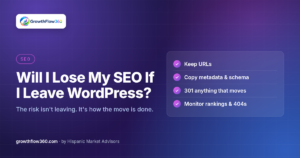
It’s the first question almost every business owner asks when they consider moving their website off WordPress: “Will I lose my Google rankings?”
It’s a fair concern. For a law firm, a dental clinic, or a restaurant, organic search is often the most valuable source of new customers. Years of rankings feel fragile, and stories about sites that “disappeared from Google” after a redesign are common.
Here is the honest answer: leaving WordPress does not, by itself, hurt your SEO. Google doesn’t rank sites based on which content management system they run on. What puts rankings at risk is how the migration is done. Done carelessly, any platform change (including moving from one WordPress theme to another) can cost you traffic. Done carefully, it’s neutral at worst and often a step forward.
Google ranks pages, not platforms
Search engines look at what they can see: your URLs, your content, your titles and headings, your structured data, your internal links, how fast your pages load, and the links pointing to your site from elsewhere. None of those are tied to WordPress.
If all of those signals are preserved, or improved, Google has no reason to treat the new site differently. The problems start when some of those signals disappear during the move.
Where SEO losses actually come from
When a migration goes wrong, the cause is almost always one of the following.
Changed URLs without 301 redirects
This is the biggest one. If your page lived at /practice-areas/personal-injury/ and the new site moves it to /services/personal-injury, Google sees the old URL return a 404 error. Any rankings and backlinks attached to that old address are effectively orphaned.
A 301 redirect tells search engines the page has moved permanently and points them to the new address. Skip it, and you’re asking Google to rediscover your pages from scratch.
Lost titles and meta descriptions
On WordPress, titles and meta descriptions are often stored by an SEO plugin like Yoast or Rank Math, not in the page content itself. A migration that copies only the visible text leaves those behind, and the new pages fall back to generic titles like “Services | Company Name.”
Lost schema markup
Structured data that told Google you’re an Attorney, MedicalClinic, or Restaurant, along with your address, hours, and reviews, frequently comes from a plugin too. If it isn’t recreated, you can lose rich results and local relevance signals.
Broken or missing internal links
Internal links help Google understand which pages matter most. If menus are simplified, footer links are dropped, or in-content links still point at old URLs, important pages can lose visibility.
Content that quietly changes
Rewriting or trimming page copy during a redesign is common. Sometimes that’s an improvement. But if the paragraphs that answered your customers’ questions are cut, the page may no longer match the searches it used to rank for.
Done right, migration is neutral or positive
When URLs, metadata, schema, and internal links are carried over intact, rankings typically hold steady. Short-term fluctuation for a few weeks while Google recrawls is normal and isn’t a sign of a problem by itself.
There’s also real upside. Many older WordPress sites are slowed down by heavy themes, page builders, and stacked plugins. A leaner, faster site can improve Core Web Vitals and the experience for visitors on mobile, which supports both rankings and conversions. A migration is also a chance to fix issues that were already holding the site back, like missing alt text or broken links.
How we handle SEO in a GrowthFlow360 migration
At GrowthFlow360, our process is built around protecting what already works.
Before launch
- Full crawl and audit of the existing site. We record every URL, title, meta description, heading, canonical, and schema block, plus current rankings, indexed pages, and Core Web Vitals as a baseline.
- Keep URLs the same wherever possible. The safest redirect is the one you never need. If a page’s address doesn’t need to change, it doesn’t.
- Copy metadata and schema. Titles, descriptions, and structured data are migrated page by page, and corrected where the audit found problems (for example, a generic
Organizationschema upgraded to the right business type). - 301 redirect anything that moves. Every URL that changes gets a one-to-one permanent redirect to its closest equivalent, not a blanket redirect to the homepage.
- Crawl comparison before go-live. We crawl the new site in staging and compare it against the original crawl: same URLs present, same titles and descriptions, schema in place, no new broken links, redirects resolving in a single hop.
After launch
- Submit the new XML sitemap in Google Search Console and confirm
robots.txtisn’t blocking anything it shouldn’t. - Monitor 404s and crawl errors in Search Console and fix anything unexpected quickly.
- Track rankings and traffic against the pre-migration baseline so any movement is spotted early and explained.
- Verify tracking (Google Tag Manager, GA4 conversions, and call tracking) so your lead reporting doesn’t drop out just because a script didn’t make the move.
Questions to ask anyone migrating your site
Whether you work with us or someone else, these questions will tell you a lot:
- Will my URLs stay the same? If not, where is the redirect map?
- How will my titles, meta descriptions, and schema be transferred?
- Will you crawl the new site and compare it with the old one before launch?
- Who submits the sitemap and monitors Search Console after launch, and for how long?
- How will my analytics and call tracking be verified?
If the answers are vague, that’s where the risk is, not in leaving WordPress.
The bottom line
You don’t lose SEO because you leave WordPress. You lose it when URLs change without redirects, when metadata and schema get left behind, or when nobody checks the new site against the old one. With a careful process, a migration protects your rankings and often sets you up to improve them.
If you’re weighing a move and want it done with your search visibility protected at every step, Start Growing Today with GrowthFlow360.
Get new articles by email
Practical guides on websites, SEO and growth for small businesses. One email when we publish. Unsubscribe anytime.
We’ll send a confirmation link first. No spam.